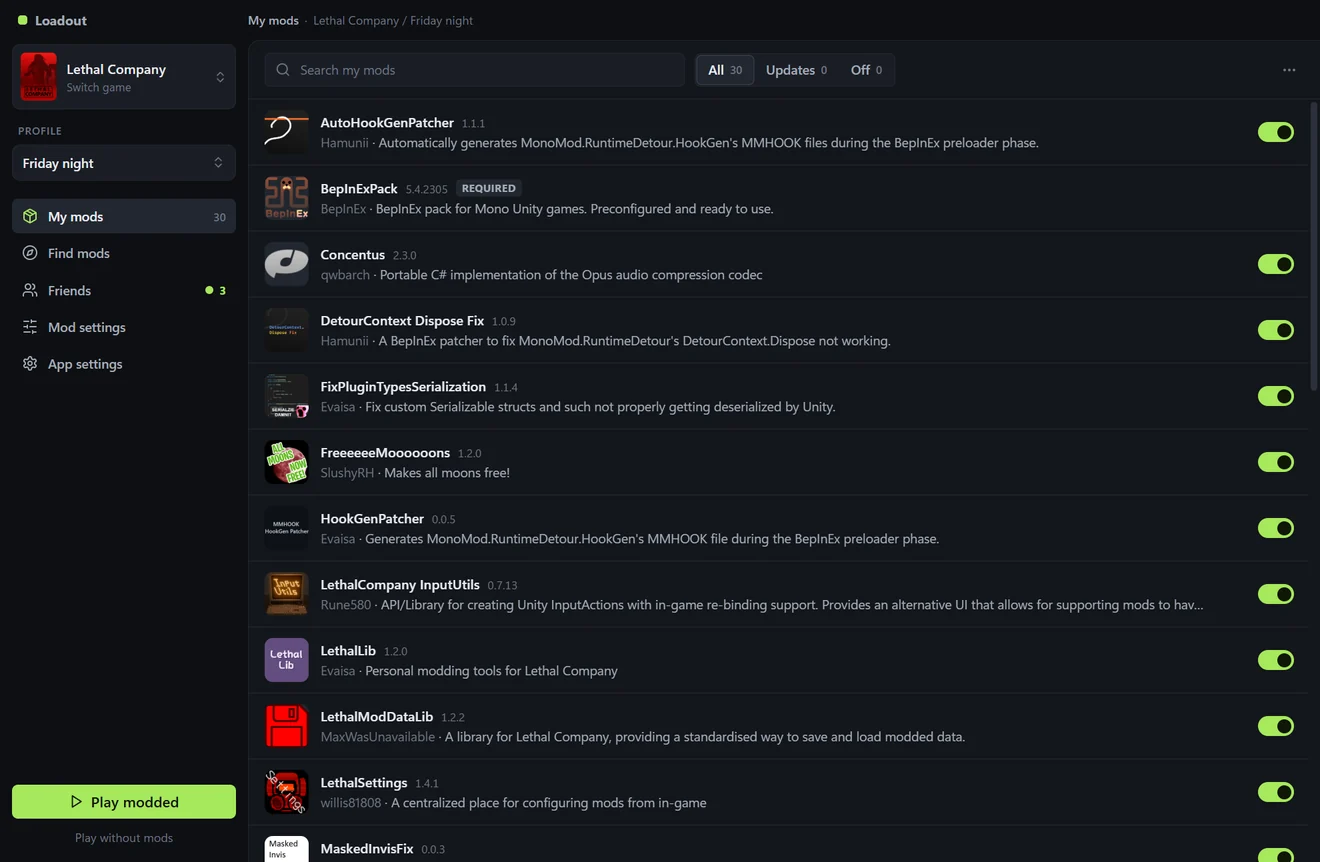
A mod manager for Thunderstore games: Lethal Company, R.E.P.O., PEAK and about 250 others. Free, for Windows 10 and 11.
Download Loadout-Setup.exe
Version 0.3.0, 112 MB
There are no questions to answer and it doesn't ask for admin rights. Loadout opens by itself and puts an icon on your desktop.
Not sure what to get? Find mods shows what's popular right now, mods that go with what you already have, and what your friends use.
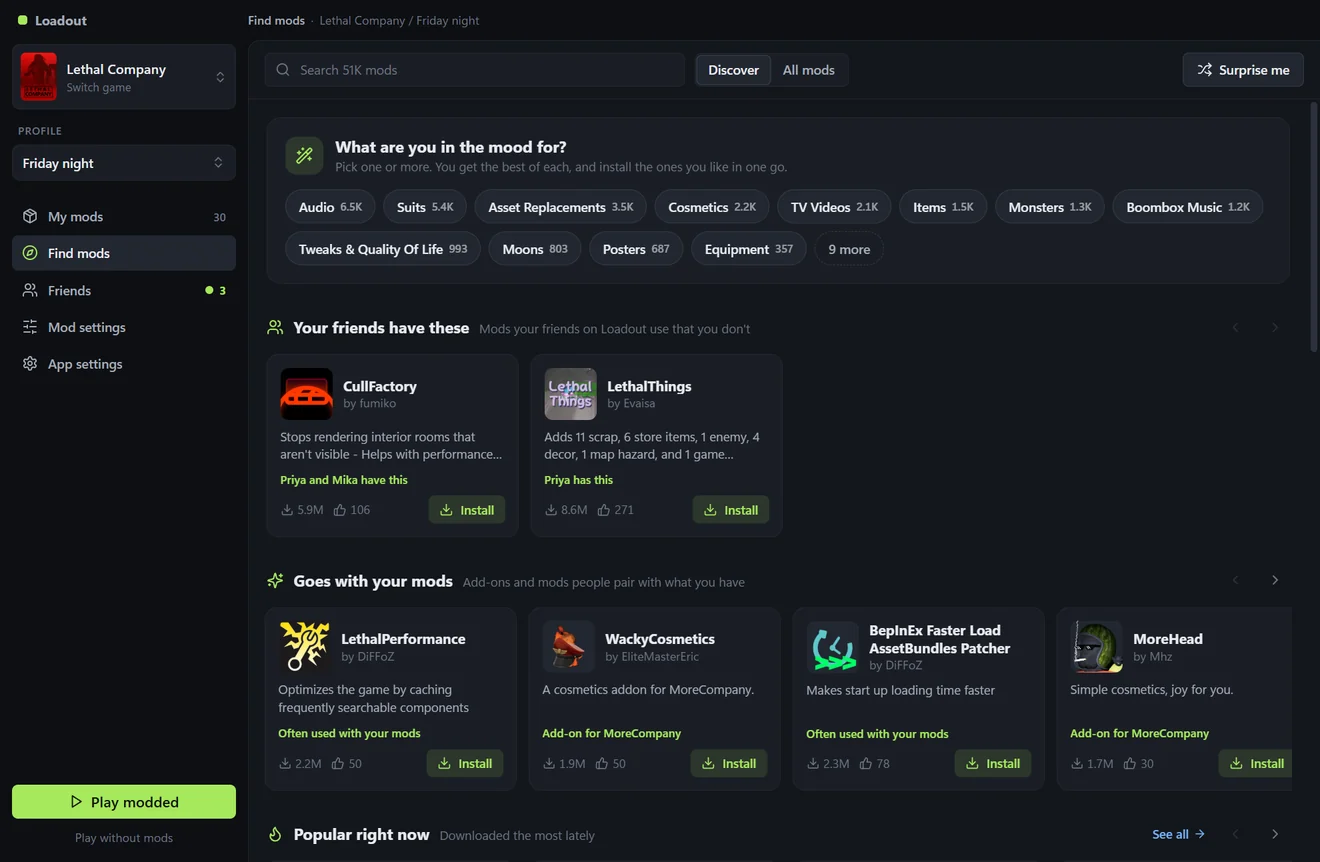
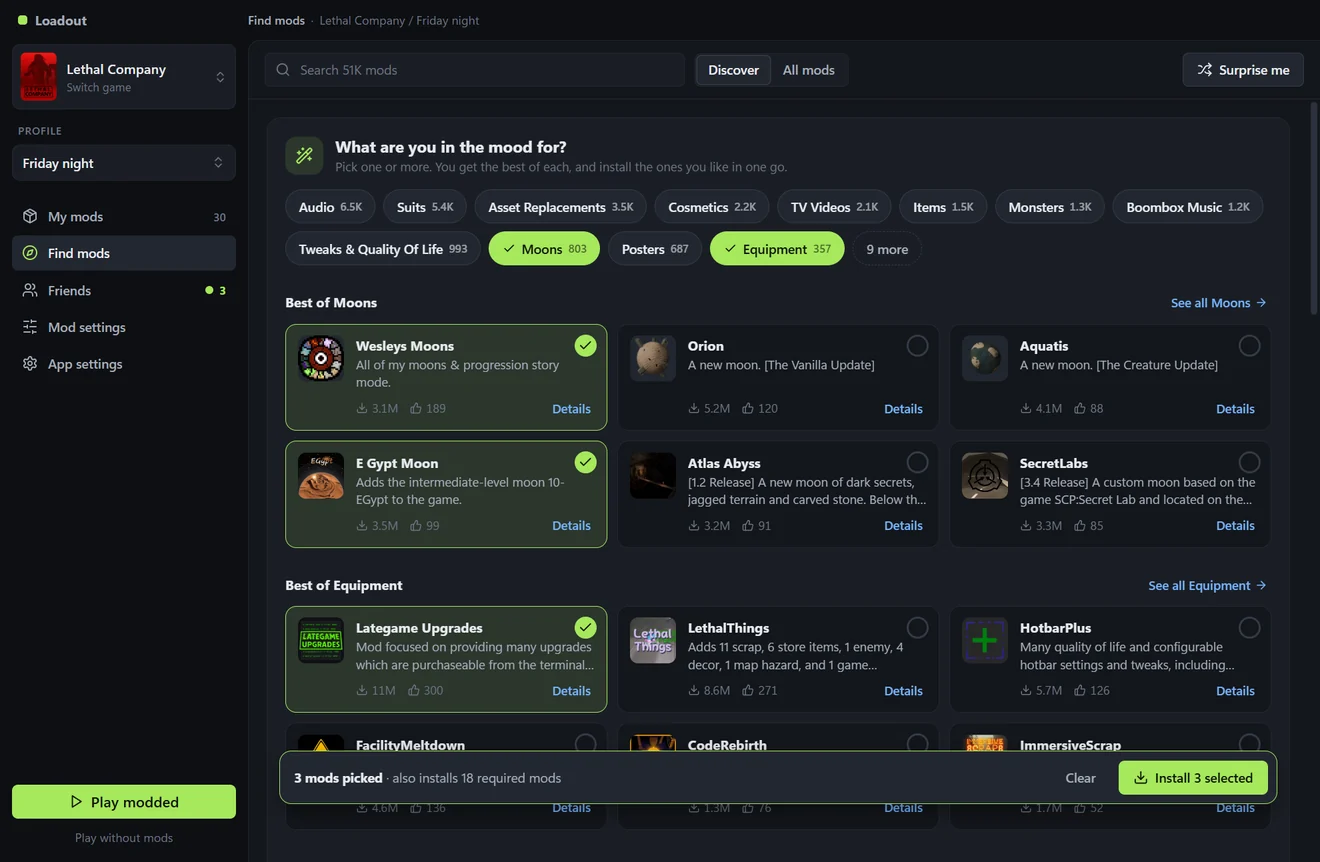
Or say what you're in the mood for. You get the best of each, tick the ones you like and install them together.
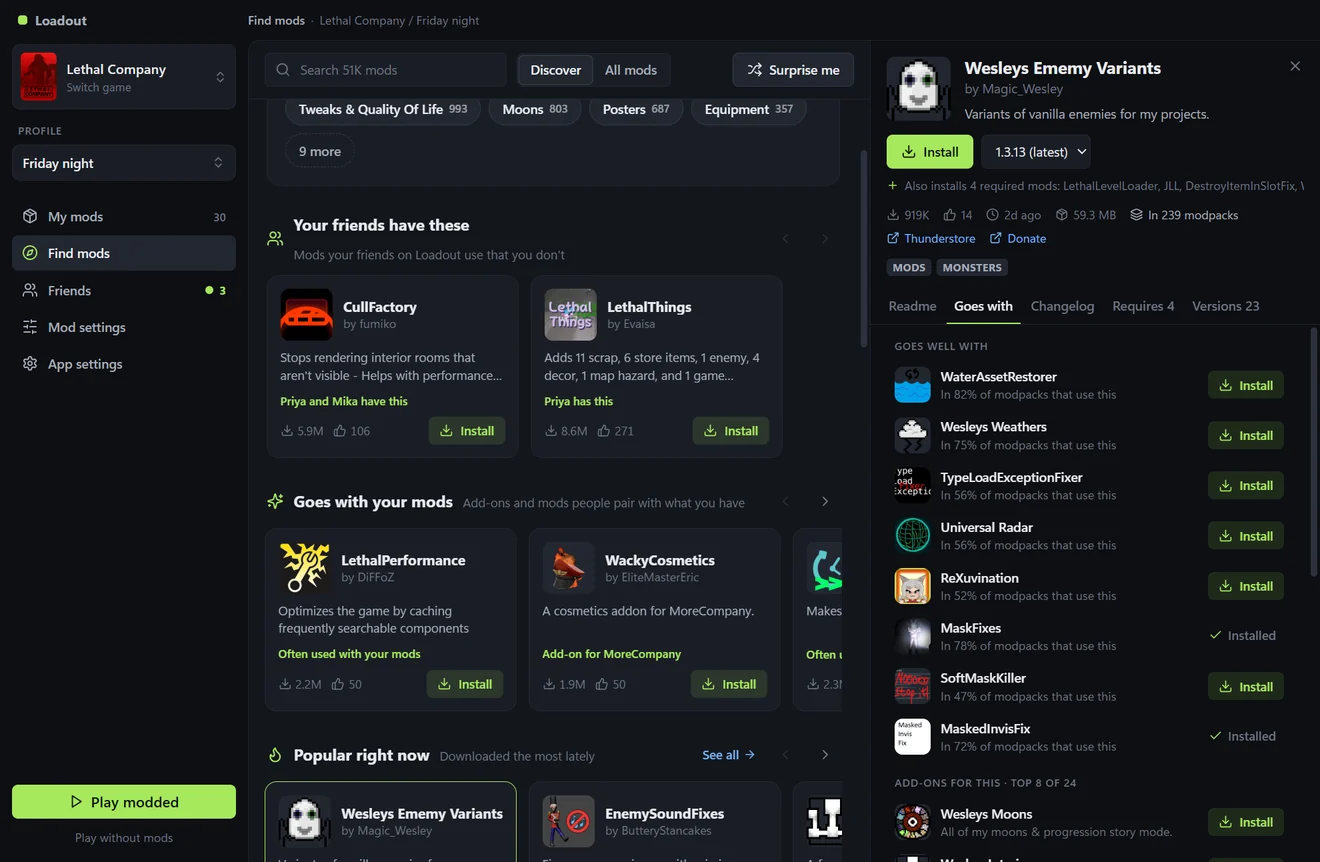
Every mod has a page with its description, what it needs, and the mods people most often use with it.
Everyone needs the same mods. Open Friends and connect Steam once. Friends who use Loadout show up there with the game they have open. If your mods match, press Join. If they don't, one button gets you their mods first.
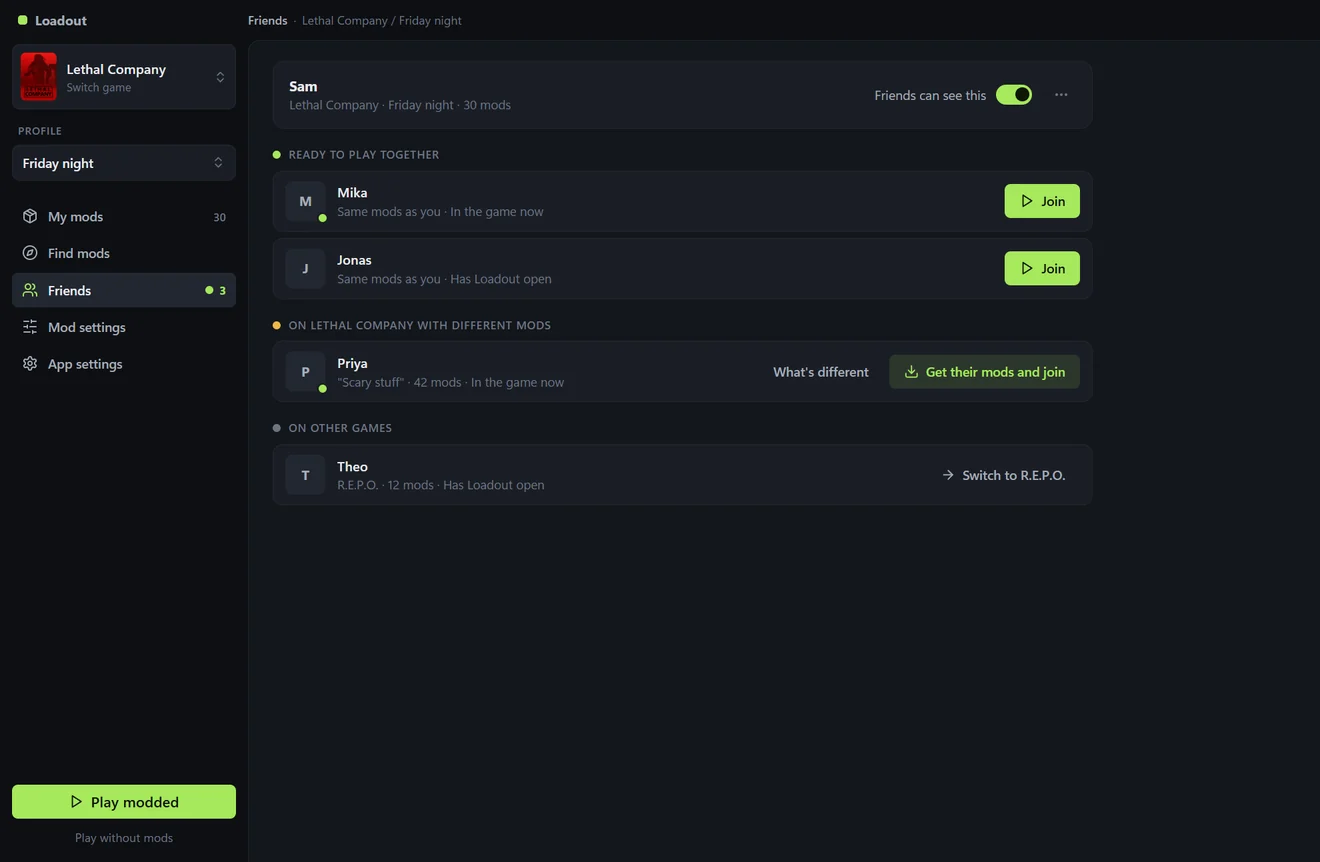
You can also do it without connecting Steam: open the Profile menu and choose Paste a profile code to get a friend's setup, or Share with friends to send them yours.
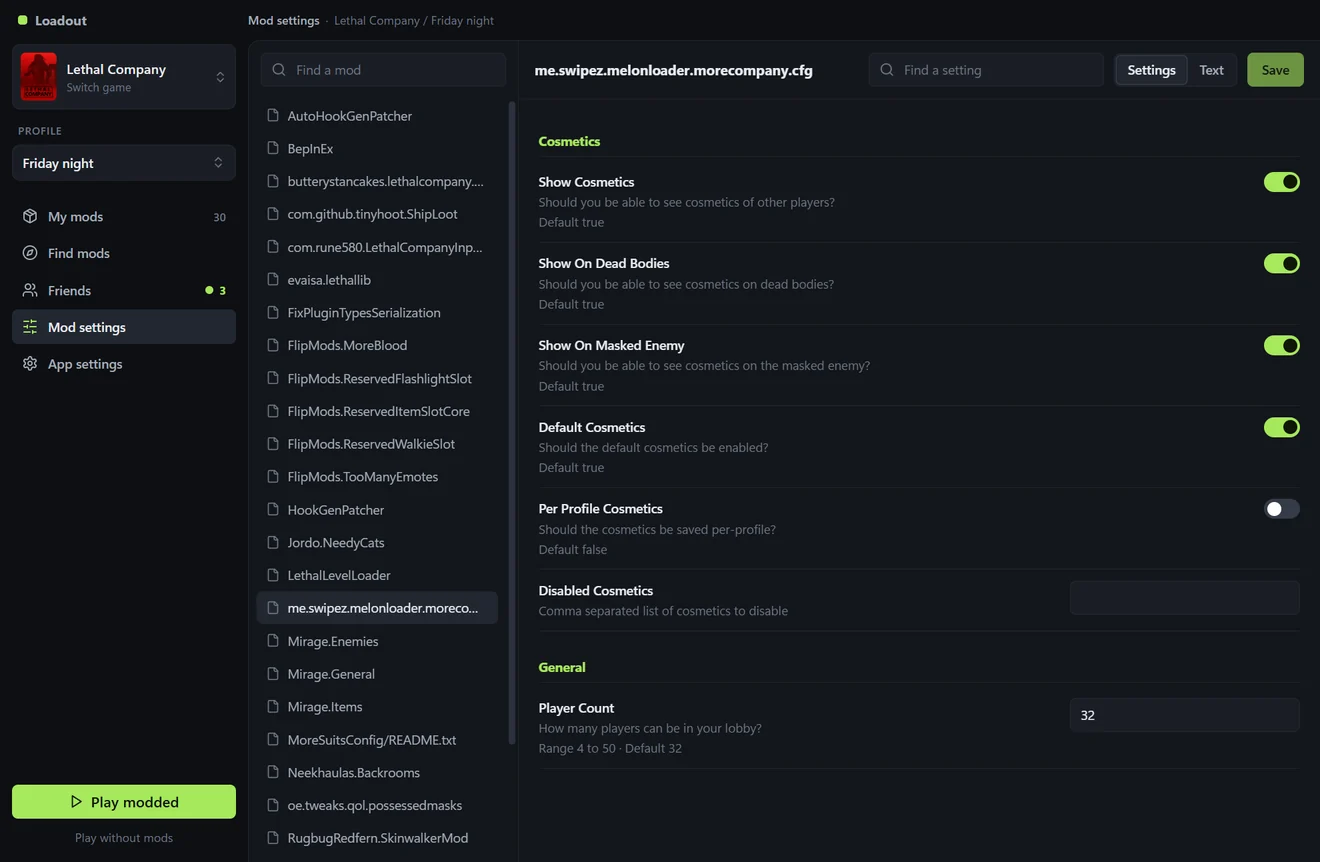
Mods come with settings. Loadout shows them as switches and boxes with the mod's own explanation next to each, so you don't have to edit files.
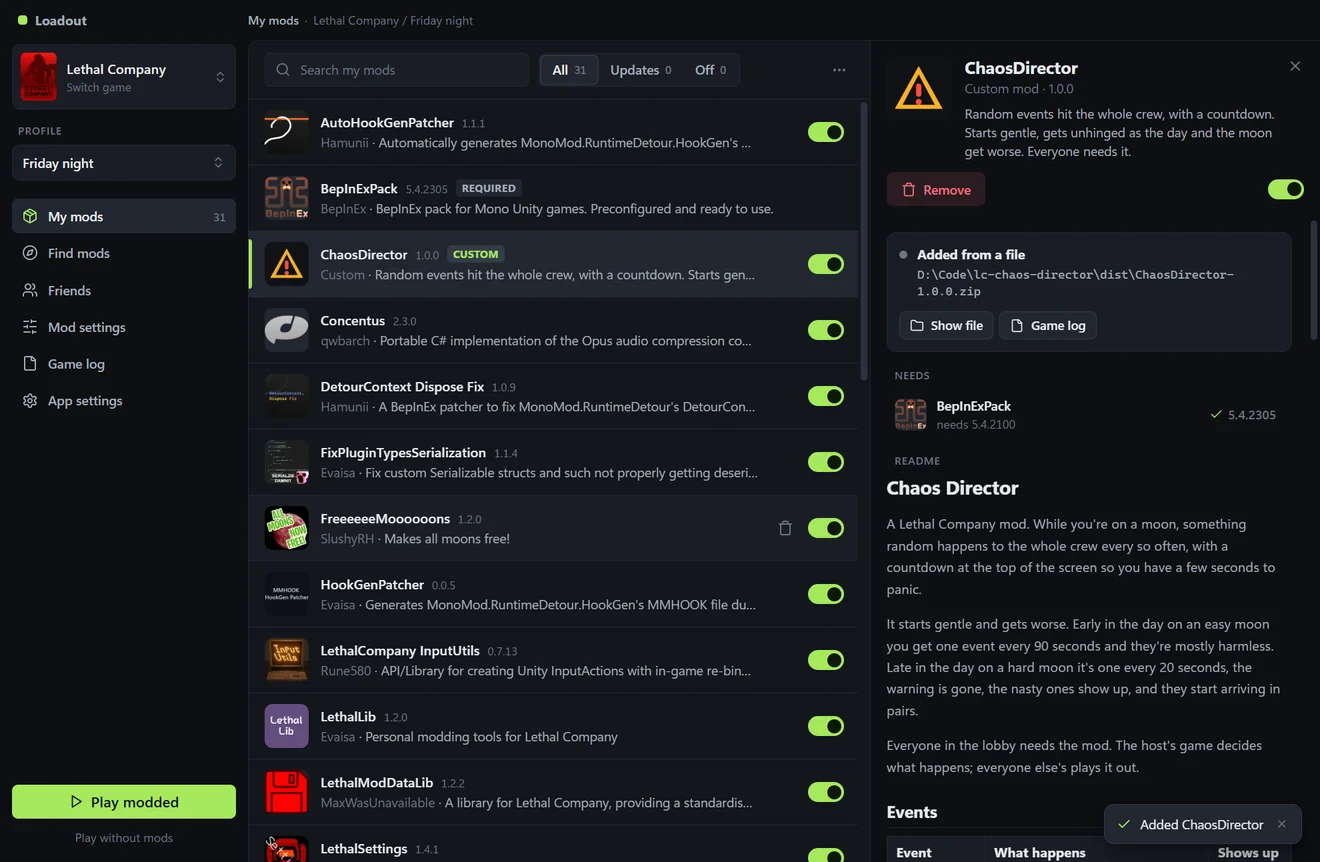
Got a mod as a file from a friend? Drag the .zip or .dll onto Loadout. It shows up in My mods marked Custom, and anything it needs from Thunderstore is installed with it. Only add files from people you trust: nobody has checked them.
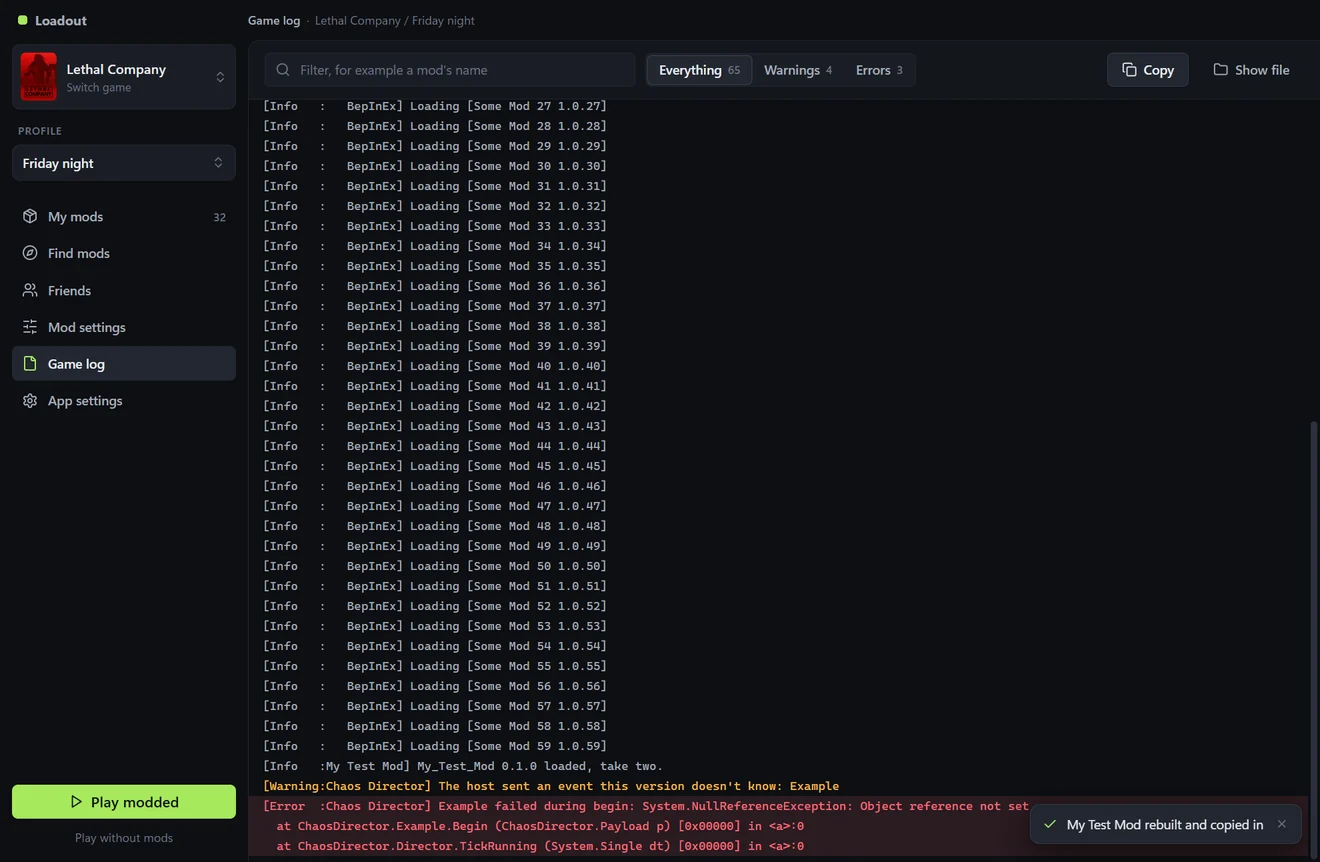
Loadout is also a workbench if you write mods yourself.
Your r2modman profiles show up inside Loadout. Press Copy over to bring one in. r2modman's own files are left alone, and profile codes made in r2modman work in Loadout.
Windows Settings, then Apps, then Loadout, then Uninstall.